Professional TV mounting, home theater design, network wiring, and antenna installation services across Houston, TX and surrounding areas. At American Installs, we share expert tips, guides, and insights on home and business technology setup—from choosing the perfect TV height to structured cabling and antenna DVR solutions. Serving Houston, Tomball, Spring, Cypress, Katy, The Woodlands, Conroe, and Kingwood.
A security camera is only useful when its connection is dependable and the installation can handle the location. For compatible PoE cameras, one Ethernet cable can carry network data and low-voltage power from suitable equipment to the camera.
One cable can provide both data and low-voltage power.
The camera does not rely on the strength of a distant Wi-Fi signal.
Central network equipment can keep connections more organized.
A wired path is easier to identify and test during troubleshooting.
The switch, injector, recorder and camera must support compatible PoE standards and power requirements. Equipment should be reviewed before the cable route is finalized.
Plan the View and the Cable Together
Camera height and angle should cover the intended area without pointing into bright lights or unnecessary neighboring space. The chosen location also needs a practical route through the attic, soffit, ceiling or wall back to the network equipment.
Outdoor terminations should be protected from weather according to the equipment requirements. A finished installation avoids loose service cable and unnecessary exterior exposure.
Testing and Labeling Save Time Later
Each run should be terminated, identified and tested before the camera is considered complete. Clear labeling at the switch, patch panel or recorder makes future maintenance easier when several cameras look identical in the equipment room.
Frequently Asked Questions
Does PoE mean the camera needs no cable?
No. PoE uses an Ethernet cable to carry both network data and compatible low-voltage power.
Can an existing network cable be reused?
Possibly. The route, cable type, condition, termination and connection must be checked.
Can you add a cable without replacing my cameras?
Often yes, when the existing equipment is compatible and the requested route is practical.
A projector can create a large, immersive picture, but it is less forgiving than placing a television on a cabinet. Screen size, throw distance, lens position, ceiling structure, room lighting and cable routes must work together.
A bigger screen is not automatically better. The primary seating distance, wall width, speaker locations and the projector’s supported image range help determine a practical size. The screen should also leave room for comfortable sightlines and any center-channel speaker or soundbar.
Throw Distance Controls Projector Placement
Every projector lens has a range of distances that can produce a particular image size. Before mounting, the model specifications, screen dimensions and available ceiling position should be compared. Lens shift and zoom can provide adjustment, but they do not replace correct initial placement.
Mounting and Cable Routes Need Support
A ceiling projector requires a secure attachment point and a compatible mount. HDMI, Ethernet, control and audio needs should be planned before the bracket is installed. Long video runs may require a different cable solution than a short connection inside a media cabinet.
Electrical power is separate from low-voltage AV cabling and must meet applicable requirements.
Control Light and Finish the Audio
Room light and reflective surfaces influence perceived contrast. Blackout shades, dimmable lighting and darker finishes may help in a dedicated media room. Audio can range from a soundbar to a receiver with surround speakers; the best choice depends on the room and equipment.
Frequently Asked Questions
Can you install equipment I already own?
Yes, when the projector, screen, mount and room are compatible. Share model numbers before the appointment.
Can the projector wires be hidden?
Often, but the available route depends on ceiling access, framing, insulation and equipment location.
Can an existing projector image be realigned?
Many alignment problems can be reviewed, though the available correction depends on mount position, lens controls and screen placement.
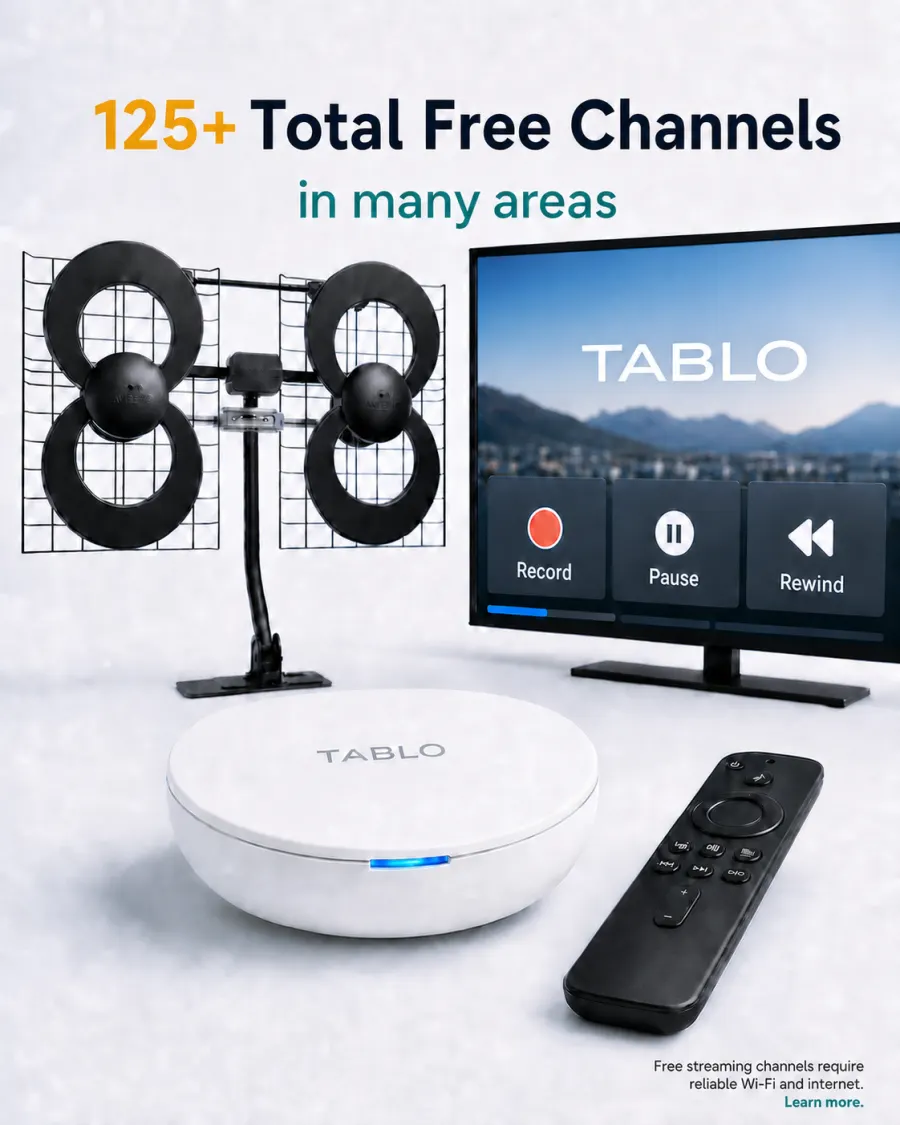
Over-the-air television can provide available local broadcasts without a traditional cable package. Adding a compatible Tablo system can make those channels easier to watch and record on supported televisions and streaming devices around the home.
The DVR cannot improve a weak signal that never reaches it. Antenna type, placement, direction, attic materials, cable condition, connectors and splitters all affect the channels available at a specific address.
An attic location can protect the antenna from outdoor weather when the home layout and signal conditions allow. The installer reviews the mounting area, a secure support, practical coax routing and the signal before completing the setup.
What Tablo Adds
Current network-based Tablo systems use compatible apps rather than a direct HDMI cable to each television. Depending on the model and available broadcast signal, the system can support live viewing, scheduled recordings and multiple compatible screens on the home network.
Internet service, a private home network, a supported Tablo device and compatible viewing devices are required. Tuner limits and network performance can affect simultaneous use.
Installation Is More Than a Channel Scan
Review antenna placement and mounting options.
Inspect or install the practical coax path.
Connect the compatible DVR and home network.
Run a channel scan and confirm available stations.
Help connect supported TVs or streaming devices.
Walk the customer through basic viewing and recording.
Channel availability varies by address, building materials, terrain, trees and local broadcast conditions. No installation can guarantee every station at every property.
Frequently Asked Questions
Can one antenna serve a Tablo and several TVs?
The best layout depends on the equipment and coax design. A Tablo distributes supported viewing through the home network, while direct TV feeds use the coax signal path.
Does Tablo need internet service?
Yes. Setup and app features require internet service and compatible network equipment.
Can existing coax be reused?
Often yes, when the route, connectors and cable condition are suitable.
A home office may depend on video meetings, cloud applications, large file transfers, a VoIP phone and a network printer at the same time. When the room is far from the router, relying only on a weak Wi-Fi signal can make the workday unpredictable.
Ethernet gives stationary equipment a direct network connection. It is less affected by distance and common wireless obstructions, which can help video calls, remote desktops and other delay-sensitive work.
Connect a desktop computer or docking station.
Support a compatible VoIP phone.
Share a network-capable printer more consistently.
Provide wired backhaul for a nearby Wi-Fi access point.
Keep permanent connections organized at a wall plate.
Plan the Route and Endpoint
The technician reviews the office, attic or ceiling access, wall construction and the destination equipment before choosing a path. Depending on the layout, the finished connection may use a wall jack, low-voltage bracket or organized cable exit.
A single wall jack can feed a compatible small switch when several office devices need wired connections. Equipment compatibility and power needs should be planned in advance.
Testing Matters
Proper termination is only part of the job. The completed connection should be tested so a loose connector, miswired pair or damaged path is not discovered during an important call. Existing jacks can also be traced and tested when their destination is unclear.
Frequently Asked Questions
Is Cat6 worth installing if the office has Wi-Fi?
Yes. Wi-Fi remains useful for mobile devices, while Ethernet can serve high-use stationary equipment and an access point.
Can several devices share one cable drop?
A compatible Ethernet switch can often provide several local ports from one tested connection.
Can you help connect the printer?
American Installs can help connect many compatible printers and computers after the network path is ready.
A covered patio can become a comfortable place for games, movies and family gatherings, but an outdoor television needs a location and installation plan suited to the space. Sunlight, moisture, heat, wall material and cable access all influence the final setup.
Start by watching the patio at the time of day it will be used most. Direct sun and reflections can make a screen difficult to see. A location under a solid cover, away from wind-driven rain and with a comfortable angle from the seating area is usually easier to use.
Screen height should also work for seated viewers. Mounting too high may look impressive while standing but become uncomfortable during a full game.
Use Equipment Intended for the Environment
Outdoor-rated televisions and accessories are designed for environmental conditions that indoor equipment may not tolerate. Follow the equipment manufacturer’s placement and weather-exposure requirements. The selected mount should also be compatible with the TV and appropriate for the installation area.
Review Brick, Siding and Framing
Patio walls can include brick, stone, siding or finished columns. Each surface requires a review of the supporting structure and suitable attachment method. The technician also considers wind exposure and whether a fixed, tilting or full-motion bracket makes sense.
Plan Sound and Connections
Outdoor noise can make dialogue harder to hear, so a compatible soundbar may improve the experience. Streaming devices, Ethernet, HDMI and audio connections should be included in the plan from the beginning.
Low-voltage cables may be concealed or routed discreetly where construction and access allow. Electrical power is a separate part of the project and must meet applicable requirements.
Frequently Asked Questions
Can an indoor TV be mounted on a patio?
Equipment suitability depends on the manufacturer’s specifications and the actual exposure. A covered location does not eliminate heat, humidity or wind-driven moisture.
Can you mount on brick?
Many brick locations can be considered after the surface, structure, equipment weight and attachment options are reviewed.
Can a soundbar be mounted with the TV?
Yes, when the soundbar, bracket and installation surface are compatible.
A fast internet plan does not guarantee a strong wireless signal in every room. In a two-story home, the router may be tucked into a front room, cabinet or corner while the busiest devices are upstairs or across the house.
Distance: Signal strength decreases as devices move farther from the router.
Building materials: Dense walls, mirrors, masonry and some insulation can reduce coverage.
Poor placement: Cabinets, closets and one end of the home are rarely ideal for whole-house service.
Wireless congestion: Neighboring networks and many active devices can compete for airtime.
Weak backhaul: A wireless mesh node cannot perform well when its own connection to the main router is poor.
Mesh Wi-Fi vs. a Wired Access Point
A mesh system can be useful when the nodes have good placement and a strong connection to one another. A wired access point connects to the main network through Ethernet, giving the new coverage area a dedicated path back to the router or switch.
In many homes, the practical plan uses one or more well-positioned access points with professionally installed Ethernet cabling. Wired backhaul can also help compatible mesh equipment perform more consistently.
What a Wi-Fi Service Visit Can Cover
The visit can include a review of weak areas, router placement, access-point locations, available Ethernet routes and compatible equipment. The technician can connect many smart TVs, computers, printers and other supported devices after the network path is working.
An access point improves the connection inside the property, but it cannot increase the speed supplied by the internet provider. Testing both the incoming service and the local Wi-Fi helps separate those two issues.
Frequently Asked Questions
Should I put a mesh node inside the weak room?
Not automatically. The node must receive a good connection before it can provide a useful connection to nearby devices.
Can an existing Ethernet jack be used?
Yes, if the cable path and terminations test correctly and the equipment is compatible.
Will one access point cover the whole house?
Coverage depends on the layout, materials, placement and radio environment. Larger or more divided homes may need more than one location.
A television above the fireplace can become the natural focal point of a living room, but the installation needs more planning than a standard drywall location. Screen height, wall material, bracket choice, heat, soundbar placement and cable access all affect the finished result.
American Installs provides professional TV mounting for homes and businesses in Tomball and nearby Greater Houston communities. Every fireplace project begins with a review of the actual wall, equipment and viewing area.
Check Viewing Height Before Drilling
Fireplace TVs usually sit higher than televisions mounted on an open wall. Before choosing a final position, sit in the primary seats and compare the proposed screen center with your normal line of sight. Screen size, seating distance and how long you watch at one time all matter.
A tilting bracket may improve the angle when the TV must be above seated eye level. Some rooms can also benefit from a specialty pull-down mount, but compatibility, wall structure and clearance must be checked first.
Match the Hardware to the Surface
Drywall over framing, brick, stone veneer and tile do not use the same mounting approach. The installer reviews the surface, likely structure, television weight and mount specifications before selecting the attachment method. Photos of the full wall and close views of the finish are useful when requesting a quote.
Plan Sound and Cable Routing Together
A centered soundbar can improve dialogue and create a balanced appearance. It should be planned at the same time as the television so the spacing, bracket and cable path work together.
Low-voltage HDMI, Ethernet and audio cables can often be concealed, but the available route depends on framing, insulation, fire blocks, fireplace construction and equipment location. Electrical power is separate from low-voltage routing and must meet applicable requirements.
Bring the Right Information to the Appointment
TV size, model number and weight.
Mount and soundbar model numbers, if already purchased.
Photos showing the complete fireplace wall and nearby equipment.
A list of streaming devices, consoles or receivers that need connections.
Smart-home devices are easiest to use when the physical installation is clean, the equipment is compatible and the network connection reaches the device reliably. A rushed installation can leave crooked devices, exposed low-voltage wiring or an app that was never tested with the homeowner.
American Installs provides home-technology and low-voltage installation services across Tomball, Katy, The Woodlands and nearby Greater Houston communities. Available work includes smart doorbells, smart thermostats, smart garage-door controls, Wi-Fi access points and related phone or internet wiring, depending on the device and site conditions.
Start With Compatibility
Before removing an existing device, confirm the new model is designed for the available wiring, power source, home network and mobile device. Product requirements vary, so the exact model number and photos of the current installation are useful before the appointment.
Some projects involve only low-voltage connections, while others may require licensed electrical or HVAC work outside the installer’s scope. Compatibility and project boundaries should be reviewed before work begins.
Smart Video Doorbell Installation
A doorbell should be mounted at a practical height and angle with a clean connection to compatible existing wiring or the manufacturer-approved power method. The setup may also include connecting the device to the home network and checking the supported app.
Wi-Fi strength at the front door matters. Masonry, metal doors and distance from the router can affect reliability even when the signal appears strong inside the home.
Smart Thermostat Installation
A smart thermostat must be compatible with the HVAC system and available control wiring. The physical mounting should cover the previous opening cleanly where possible, and the system should be checked after connection.
Because HVAC configurations vary, homeowners should provide the thermostat model and photos of the existing wiring before scheduling. Advanced HVAC repair or electrical changes may require the appropriate trade professional.
Smart Garage-Door Controls
A compatible smart controller can add app-based status and control to a supported garage-door opener. Installation depends on opener compatibility, available mounting locations, power and Wi-Fi coverage in the garage.
Do Not Forget the Network
Many smart-device problems are actually coverage or connection problems. A doorbell at the edge of the home or a garage controller behind several walls may need better access-point placement rather than repeated device resets.
Homes across northwest and west Houston have different construction, wiring and internet-entry locations. A practical smart-home plan starts with the actual device, wall and network instead of assuming every installation is identical.
Frequently Asked Questions
Can you install a device I already purchased?
Many customer-provided compatible devices can be installed. Share the exact model and current wiring photos so the project can be reviewed.
Can you improve Wi-Fi for an outdoor doorbell?
American Installs can troubleshoot coverage and discuss access point or wiring options based on the home layout and equipment.
What information should I send first?
Include the device model, installation location, photos of the current device and wiring, router location and a description of any connection problem.
Smart-home devices are easiest to use when the physical installation is clean, the equipment is compatible and the network connection reaches the device reliably. A rushed installation can leave crooked devices, exposed low-voltage wiring or an app that was never tested with the homeowner.
American Installs provides home-technology and low-voltage installation services across Tomball, Katy, The Woodlands and nearby Greater Houston communities. Available work includes smart doorbells, smart thermostats, smart garage-door controls, Wi-Fi access points and related phone or internet wiring, depending on the device and site conditions.
Start With Compatibility
Before removing an existing device, confirm the new model is designed for the available wiring, power source, home network and mobile device. Product requirements vary, so the exact model number and photos of the current installation are useful before the appointment.
Some projects involve only low-voltage connections, while others may require licensed electrical or HVAC work outside the installer’s scope. Compatibility and project boundaries should be reviewed before work begins.
Smart Video Doorbell Installation
A doorbell should be mounted at a practical height and angle with a clean connection to compatible existing wiring or the manufacturer-approved power method. The setup may also include connecting the device to the home network and checking the supported app.
Wi-Fi strength at the front door matters. Masonry, metal doors and distance from the router can affect reliability even when the signal appears strong inside the home.
Smart Thermostat Installation
A smart thermostat must be compatible with the HVAC system and available control wiring. The physical mounting should cover the previous opening cleanly where possible, and the system should be checked after connection.
Because HVAC configurations vary, homeowners should provide the thermostat model and photos of the existing wiring before scheduling. Advanced HVAC repair or electrical changes may require the appropriate trade professional.
Smart Garage-Door Controls
A compatible smart controller can add app-based status and control to a supported garage-door opener. Installation depends on opener compatibility, available mounting locations, power and Wi-Fi coverage in the garage.
Do Not Forget the Network
Many smart-device problems are actually coverage or connection problems. A doorbell at the edge of the home or a garage controller behind several walls may need better access-point placement rather than repeated device resets.
Homes across northwest and west Houston have different construction, wiring and internet-entry locations. A practical smart-home plan starts with the actual device, wall and network instead of assuming every installation is identical.
Frequently Asked Questions
Can you install a device I already purchased?
Many customer-provided compatible devices can be installed. Share the exact model and current wiring photos so the project can be reviewed.
Can you improve Wi-Fi for an outdoor doorbell?
American Installs can troubleshoot coverage and discuss access point or wiring options based on the home layout and equipment.
What information should I send first?
Include the device model, installation location, photos of the current device and wiring, router location and a description of any connection problem.
A small-business network becomes harder to support when cables are unlabeled, wall jacks lead nowhere and equipment has been added one piece at a time. Clean cabling does not make internet service faster by itself, but it gives computers, phones, printers, access points and network equipment a dependable physical path.
Employees rely on Wi-Fi because desk jacks do not work or cannot be identified.
Patch cables cross the floor or hang loosely around equipment.
A printer, phone or access point disconnects when a cable is moved.
New desks are being added without a documented cable path.
The network closet has no clear relationship between wall jacks and switch ports.
Plan the Cable Path Before Pulling Wire
A commercial wiring visit begins with the rooms, device locations and available ceiling or wall access. The technician reviews cable lengths, pathway restrictions, endpoint locations and the central equipment area before recommending the route.
Final scope depends on the building, access, materials and number of drops. Some properties may also require coordination with a landlord, general contractor or other trades before installation.
Common Small-Business Connections
Desk and Office Ethernet
Hardwired connections support desktop computers, docking stations, phones and other equipment that stays in a fixed location.
Printers and Shared Devices
A reliable network path can make shared devices easier to reach and troubleshoot than an inconsistent wireless connection.
Wi-Fi Access Points
Ethernet backhaul allows access points to be placed closer to the people and devices they serve rather than beside the internet modem.
Network Rooms and Equipment Areas
Organized patching, practical service loops and clearer cable routing make equipment easier to inspect and maintain. American Installs lists IT network-room services in addition to general low-voltage wiring.
Testing and Documentation Matter
Each completed cable should be terminated appropriately and tested before the job is complete. Clear endpoint identification also helps the business understand which wall jack connects to which equipment location.
If an existing line is unreliable, cable tracing and testing can help determine whether the likely issue is the jack, connector or cable path.
Spring and Cypress Business Wiring
American Installs serves offices and small-business spaces in Spring, Cypress, Tomball, Katy, The Woodlands and nearby communities. The most useful quote request includes the number of cable drops, room or desk locations, ceiling type, equipment area and any access limitations.
Frequently Asked Questions
Can you add one cable drop to an existing office?
Yes. Single-drop projects are available when a practical cable path and endpoint location can be identified.
Can old jacks and lines be tested?
Existing Ethernet, coax and phone paths can be traced or tested to identify likely connection problems and repair options.
Do you work with access points?
Yes. American Installs can provide low-voltage cable routes and setup support for compatible access points.
A small-business network becomes harder to support when cables are unlabeled, wall jacks lead nowhere and equipment has been added one piece at a time. Clean cabling does not make internet service faster by itself, but it gives computers, phones, printers, access points and network equipment a dependable physical path.
Employees rely on Wi-Fi because desk jacks do not work or cannot be identified.
Patch cables cross the floor or hang loosely around equipment.
A printer, phone or access point disconnects when a cable is moved.
New desks are being added without a documented cable path.
The network closet has no clear relationship between wall jacks and switch ports.
Plan the Cable Path Before Pulling Wire
A commercial wiring visit begins with the rooms, device locations and available ceiling or wall access. The technician reviews cable lengths, pathway restrictions, endpoint locations and the central equipment area before recommending the route.
Final scope depends on the building, access, materials and number of drops. Some properties may also require coordination with a landlord, general contractor or other trades before installation.
Common Small-Business Connections
Desk and Office Ethernet
Hardwired connections support desktop computers, docking stations, phones and other equipment that stays in a fixed location.
Printers and Shared Devices
A reliable network path can make shared devices easier to reach and troubleshoot than an inconsistent wireless connection.
Wi-Fi Access Points
Ethernet backhaul allows access points to be placed closer to the people and devices they serve rather than beside the internet modem.
Network Rooms and Equipment Areas
Organized patching, practical service loops and clearer cable routing make equipment easier to inspect and maintain. American Installs lists IT network-room services in addition to general low-voltage wiring.
Testing and Documentation Matter
Each completed cable should be terminated appropriately and tested before the job is complete. Clear endpoint identification also helps the business understand which wall jack connects to which equipment location.
If an existing line is unreliable, cable tracing and testing can help determine whether the likely issue is the jack, connector or cable path.
Spring and Cypress Business Wiring
American Installs serves offices and small-business spaces in Spring, Cypress, Tomball, Katy, The Woodlands and nearby communities. The most useful quote request includes the number of cable drops, room or desk locations, ceiling type, equipment area and any access limitations.
Frequently Asked Questions
Can you add one cable drop to an existing office?
Yes. Single-drop projects are available when a practical cable path and endpoint location can be identified.
Can old jacks and lines be tested?
Existing Ethernet, coax and phone paths can be traced or tested to identify likely connection problems and repair options.
Do you work with access points?
Yes. American Installs can provide low-voltage cable routes and setup support for compatible access points.
A home theater should be enjoyable to use, not a collection of remotes, loose speaker wires and confusing inputs. Good installation brings the screen, sound system, receiver, media devices and cable paths together so the room feels intentional.
The right system depends on the room size, seating layout, preferred volume, screen location and how the household watches. A living room used for everyday streaming may need a different solution than a dedicated media room.
Before choosing equipment or speaker locations, identify the main seats, the available wall and ceiling paths and the location of the receiver or media cabinet.
Soundbar or Surround Sound?
Soundbar Setup
A compatible soundbar can create a clean, straightforward system for a living room or bedroom. Proper alignment, connection and input settings help the TV and soundbar work together reliably.
Surround Speaker Setup
A receiver and multiple speakers can provide a more immersive result when speaker placement and wiring are planned around the room. The system should be connected, the correct inputs selected and speaker output checked before the visit is complete.
Receiver, HDMI and Input Troubleshooting
Many existing home theaters have good equipment but frustrating setup problems. No sound, the wrong input, intermittent HDMI behavior, incorrect receiver settings or a disconnected speaker can make the system feel unreliable.
American Installs troubleshoots compatible receivers, speakers, HDMI paths and audio routing. The technician can identify likely connection or configuration problems and review available options.
Clean Cable Routing and Equipment Organization
Speaker wire, HDMI, Ethernet and other low-voltage connections should be planned before the equipment is placed. A clean route makes the room look better and makes future service easier.
Available concealment options depend on wall construction, access, insulation, fire blocks and equipment locations. When in-wall routing is not practical, organized surface routes and equipment placement can still improve the finished result.
TV or Projector?
A large television is often straightforward for bright multi-use rooms. A projector can be a good fit for a controlled-light media room when throw distance, screen size, mounting structure, source equipment and cable routing are planned together. American Installs offers projector installation services as part of its home-theater work.
Home Theater Service in The Woodlands
Homes in The Woodlands include open family rooms, dedicated media rooms and mixed wall and ceiling layouts. A site-specific plan helps avoid poor speaker placement, awkward equipment locations and cables that do not reach the intended devices.
Frequently Asked Questions
Can an existing system be repaired or reconfigured?
Yes. American Installs can troubleshoot many HDMI, receiver, speaker, input and audio-routing issues with existing compatible equipment.
Can the soundbar be mounted with the television?
Compatible soundbars can be mounted and connected with attention to alignment and cable management.
Do you install speaker wire?
Low-voltage speaker wiring and cleaner cable routes can be included when the wall or ceiling access and project scope allow it.
A home theater should be enjoyable to use, not a collection of remotes, loose speaker wires and confusing inputs. Good installation brings the screen, sound system, receiver, media devices and cable paths together so the room feels intentional.
The right system depends on the room size, seating layout, preferred volume, screen location and how the household watches. A living room used for everyday streaming may need a different solution than a dedicated media room.
Before choosing equipment or speaker locations, identify the main seats, the available wall and ceiling paths and the location of the receiver or media cabinet.
Soundbar or Surround Sound?
Soundbar Setup
A compatible soundbar can create a clean, straightforward system for a living room or bedroom. Proper alignment, connection and input settings help the TV and soundbar work together reliably.
Surround Speaker Setup
A receiver and multiple speakers can provide a more immersive result when speaker placement and wiring are planned around the room. The system should be connected, the correct inputs selected and speaker output checked before the visit is complete.
Receiver, HDMI and Input Troubleshooting
Many existing home theaters have good equipment but frustrating setup problems. No sound, the wrong input, intermittent HDMI behavior, incorrect receiver settings or a disconnected speaker can make the system feel unreliable.
American Installs troubleshoots compatible receivers, speakers, HDMI paths and audio routing. The technician can identify likely connection or configuration problems and review available options.
Clean Cable Routing and Equipment Organization
Speaker wire, HDMI, Ethernet and other low-voltage connections should be planned before the equipment is placed. A clean route makes the room look better and makes future service easier.
Available concealment options depend on wall construction, access, insulation, fire blocks and equipment locations. When in-wall routing is not practical, organized surface routes and equipment placement can still improve the finished result.
TV or Projector?
A large television is often straightforward for bright multi-use rooms. A projector can be a good fit for a controlled-light media room when throw distance, screen size, mounting structure, source equipment and cable routing are planned together. American Installs offers projector installation services as part of its home-theater work.
Home Theater Service in The Woodlands
Homes in The Woodlands include open family rooms, dedicated media rooms and mixed wall and ceiling layouts. A site-specific plan helps avoid poor speaker placement, awkward equipment locations and cables that do not reach the intended devices.
Frequently Asked Questions
Can an existing system be repaired or reconfigured?
Yes. American Installs can troubleshoot many HDMI, receiver, speaker, input and audio-routing issues with existing compatible equipment.
Can the soundbar be mounted with the television?
Compatible soundbars can be mounted and connected with attention to alignment and cable management.
Do you install speaker wire?
Low-voltage speaker wiring and cleaner cable routes can be included when the wall or ceiling access and project scope allow it.
Adding another Wi-Fi device is not always the answer to a weak connection. A large home, two-story layout, dense walls or a poorly located router can create dead zones that a basic plug-in extender does not solve consistently.
A basic extender receives an existing wireless signal and repeats it. That can be convenient, but the extender still depends on the quality of the wireless connection reaching its location.
A wired access point connects back to the main network through Ethernet. Because it does not rely on a weak wireless hop for backhaul, it can provide a more stable connection in the area it serves.
Signs Your Home May Need a Better Wi-Fi Plan
Calls or video meetings drop in one room.
Streaming buffers upstairs while it works near the router.
Smart-home devices disconnect at the edge of the home.
A home office has good speed only when the door is open or the user moves closer to the router.
A mesh node shows a weak connection back to the main router.
Why Placement Matters
An access point works best when it is placed near the devices it needs to serve and away from avoidable obstructions. Central ceiling or high-wall locations often provide a clearer path than hiding equipment inside a cabinet or placing it at one end of the house.
The best location also needs a practical Ethernet route. The technician reviews the attic or ceiling path, wall construction and the route back to the router or network panel before recommending an installation point.
What the Installation Can Include
Review of weak-signal areas and current equipment placement.
Ethernet cabling for a compatible access point or mesh device.
Clean endpoint or ceiling placement where access allows.
Connection of compatible computers, printers, smart TVs and network devices.
Basic testing and a walkthrough of the completed setup.
Final equipment and settings depend on the router, internet service, home layout and compatible devices. An access point can improve the local network path, but it cannot increase the speed delivered by the internet provider.
Pair Wi-Fi With the Right Ethernet Wiring
Access points perform best when the cable path is planned correctly. American Installs also provides Cat6, Ethernet and low-voltage cable installation for routers, access points, home offices, smart TVs and small-business equipment.
Wi-Fi Service in Katy, TX
Katy homes often include multiple floors, open living spaces and rooms spread far from the internet entry point. The solution should match the actual floor plan, construction and device locations instead of relying on a generic number of mesh nodes.
Frequently Asked Questions
Will an access point replace my router?
Usually no. An access point normally extends the local network provided by the router. Equipment roles and compatibility should be reviewed before installation.
Can the access point use existing Ethernet?
Yes, when the existing cable, termination and route are suitable. The connection can be checked during the visit.
Can you help connect printers and smart devices?
American Installs can help connect many compatible printers, computers, smart TVs and devices after installation or troubleshooting.
A clean TV installation is about more than fastening a bracket to the wall. The screen height, seating position, wall construction, bracket movement, soundbar alignment and cable path all affect how the finished room looks and feels.
American Installs provides professional TV mounting and installation in Cypress and throughout Greater Houston. Projects range from standard drywall locations to fireplaces, soundbars, covered outdoor areas and low-voltage wire concealment where the site conditions allow it.
Start With Comfortable TV Height
The correct height depends on the room rather than one universal measurement. A living-room TV is normally planned around seated eye level, the size of the screen and the primary viewing distance. Bedroom and fireplace installations may sit higher, which can make a tilting or pull-down solution worth discussing.
Before mounting, it helps to sit in the normal viewing position and consider whether the center of the screen will feel comfortable during a full movie or game—not just for a few minutes.
Choose the Right Mount for the Room
Fixed Mount
A fixed bracket keeps the TV close to the wall and works well when the seating is centered and access behind the television is not a frequent concern.
Tilting Mount
A tilting bracket can help when the screen must be mounted above seated eye level or when a small downward adjustment improves the viewing angle.
Full-Motion Mount
A full-motion mount can swivel toward different seating zones and provide easier rear access, but the wall structure, TV size and extension load must be considered.
What About Fireplaces and Specialty Walls?
Brick, stone, tile and fireplace installations require additional review. The technician considers the mounting surface, likely structure, screen height, heat concerns, equipment and practical cable-routing options before finalizing the plan.
Not every wall supports the same approach. Photos of the entire wall, close views of the surface and the TV and bracket model numbers help define the project before the appointment.
Planning for Hidden Wires
Low-voltage HDMI, Ethernet and audio cables can often be concealed or routed more cleanly. The available path depends on insulation, fire blocks, wall material, equipment placement and the location of electrical power. Power work must follow applicable requirements and is separate from low-voltage cable routing.
A media cabinet, streaming device, game console or receiver may require several connections, so the cable plan should account for everything that will be used—not only the television.
Add the Soundbar and Connected Devices
A compatible soundbar can be mounted and aligned with the television for a more intentional appearance. Streaming devices, consoles and receivers can also be connected and checked for basic operation after installation.
A clean TV installation is about more than fastening a bracket to the wall. The screen height, seating position, wall construction, bracket movement, soundbar alignment and cable path all affect how the finished room looks and feels.
American Installs provides professional TV mounting and installation in Cypress and throughout Greater Houston. Projects range from standard drywall locations to fireplaces, soundbars, covered outdoor areas and low-voltage wire concealment where the site conditions allow it.
Start With Comfortable TV Height
The correct height depends on the room rather than one universal measurement. A living-room TV is normally planned around seated eye level, the size of the screen and the primary viewing distance. Bedroom and fireplace installations may sit higher, which can make a tilting or pull-down solution worth discussing.
Before mounting, it helps to sit in the normal viewing position and consider whether the center of the screen will feel comfortable during a full movie or game—not just for a few minutes.
Choose the Right Mount for the Room
Fixed Mount
A fixed bracket keeps the TV close to the wall and works well when the seating is centered and access behind the television is not a frequent concern.
Tilting Mount
A tilting bracket can help when the screen must be mounted above seated eye level or when a small downward adjustment improves the viewing angle.
Full-Motion Mount
A full-motion mount can swivel toward different seating zones and provide easier rear access, but the wall structure, TV size and extension load must be considered.
What About Fireplaces and Specialty Walls?
Brick, stone, tile and fireplace installations require additional review. The technician considers the mounting surface, likely structure, screen height, heat concerns, equipment and practical cable-routing options before finalizing the plan.
Not every wall supports the same approach. Photos of the entire wall, close views of the surface and the TV and bracket model numbers help define the project before the appointment.
Planning for Hidden Wires
Low-voltage HDMI, Ethernet and audio cables can often be concealed or routed more cleanly. The available path depends on insulation, fire blocks, wall material, equipment placement and the location of electrical power. Power work must follow applicable requirements and is separate from low-voltage cable routing.
A media cabinet, streaming device, game console or receiver may require several connections, so the cable plan should account for everything that will be used—not only the television.
Add the Soundbar and Connected Devices
A compatible soundbar can be mounted and aligned with the television for a more intentional appearance. Streaming devices, consoles and receivers can also be connected and checked for basic operation after installation.
An over-the-air TV system can work well for months and then suddenly lose channels, pixelate during certain programs or fail on one television while another still works. The cause is not always the antenna itself. Placement, connections, splitters, coax condition and equipment setup all affect the final signal reaching the screen.
Loose or damaged connections: A worn connector or poorly seated coax cable can weaken the signal.
Splitter losses: Dividing a signal among several televisions can reduce the level reaching each device.
Antenna movement: An antenna can shift after storage activity, attic work or changes to its mounting area.
New obstructions: Trees, nearby construction and building materials can change the practical signal path.
Equipment setup: A television or Tablo may need a fresh channel scan after station or connection changes.
What Happens During Antenna Troubleshooting?
A technician reviews the antenna location, coax route, splitters, connectors and connected equipment. The system can be scanned and tested to determine whether the issue points to placement, cabling, a connection or the receiving device.
New cable runs, antenna relocation or replacement equipment are separate from a basic troubleshooting visit. If additional work is recommended, the options should be reviewed before that work begins.
When a New Antenna Installation Makes Sense
An attic antenna can be a practical option when the home layout, access and signal conditions allow it. American Installs can provide antenna placement review, suitable coax routing, a channel scan and a walkthrough after the system is connected.
Channel availability always varies by address. Distance from broadcast towers, construction materials, terrain, trees and local conditions all matter, so no responsible installer can guarantee every channel at every home.
Adding Tablo DVR Convenience
Tablo takes available antenna channels and makes them accessible through supported apps on compatible televisions and streaming devices. Current standalone systems use the home network rather than a direct HDMI connection to the TV.
Depending on the selected model, a Tablo system can provide multiple tuners for overlapping viewing and recordings, onboard storage and optional compatible USB storage. Internet service, a private home network and compatible devices are required for setup and app use.
Spring, TX Installation Considerations
Spring homes include a wide range of ages, attic layouts and existing coax systems. A useful service plan starts by reviewing the actual access and equipment instead of assuming that every home needs the same antenna or cable path.
A fast internet plan cannot fix every connection problem inside a home. When a home office, smart television, game console or Wi-Fi access point needs a stable connection, a properly installed Ethernet cable can remove the uncertainty that comes with weak or crowded wireless signals.
American Installs provides Ethernet, Cat6 and low-voltage wiring for homes and small businesses in Tomball and nearby Greater Houston communities. Each project is planned around the wall type, attic or ceiling access, equipment location and the cleanest practical cable route.
Why Hardwired Ethernet Still Matters
Wi-Fi is convenient, but a wired connection gives stationary equipment a dedicated path back to the router or network switch. That can be especially useful for video calls, streaming, online gaming, security equipment and access points that carry traffic for several wireless devices.
Consistent performance: Ethernet is less affected by distance, neighboring Wi-Fi networks and common household obstructions.
Lower latency: A wired path can help applications that are sensitive to delay, including calls and gaming.
Better access-point placement: Cat6 cabling can support a ceiling or wall access point where wireless coverage is actually needed.
Cleaner equipment setup: Wall plates and organized endpoints keep permanent connections easier to identify and service.
What a Professional Cable-Drop Visit Includes
The first step is reviewing the room, the destination equipment and the available path. A technician considers wall construction, insulation, fire blocks, attic access and the location of the router or network panel before recommending a route.
Depending on the project, the work may include a new Ethernet or Cat6 drop, a wall jack or cable exit, connector termination and final connection testing. Existing lines can also be traced when a jack is not working or when old cabling is difficult to identify.
Common Places Tomball Homeowners Add Ethernet
Home Offices
A direct network connection can support a work computer, docking station, VoIP phone or printer without relying entirely on the signal reaching that room.
Mounted TVs and Media Rooms
Streaming devices, smart TVs, receivers and game consoles can benefit from an organized wired connection near the media cabinet.
Wi-Fi Access Points
A wired backhaul lets an access point serve the room or floor where coverage is weak while keeping the connection to the main network stable.
New Construction and Remodels
When framing or access is available, it is a good time to plan multiple cable routes, wall plates and a central location for network equipment.
Planning a Clean Installation
Before the appointment, identify the router location, the rooms that need service and the devices that will be connected. Photos of the rooms, attic access and equipment can help clarify the scope. Final pricing and routing depend on distance, access, wall type and required materials.
Yes. Ethernet can connect high-use stationary devices directly and can also provide wired backhaul for a better-positioned Wi-Fi access point.
Can an existing Ethernet jack be repaired?
Many connection problems can be traced to a jack, connector or cable path. The technician can test the line and review available repair options.
Will the cable be tested?
American Installs tests the completed connection or device path before wrapping up the visit.
Request Network Wiring in Tomball
For a new Cat6 drop, cable repair or multi-room network plan, contact American Installs. Call (281) 374-4380 or send a message with the rooms, equipment and access details for your project.
A fast internet plan cannot fix every connection problem inside a home. When a home office, smart television, game console or Wi-Fi access point needs a stable connection, a properly installed Ethernet cable can remove the uncertainty that comes with weak or crowded wireless signals.
American Installs provides Ethernet, Cat6 and low-voltage wiring for homes and small businesses in Tomball and nearby Greater Houston communities. Each project is planned around the wall type, attic or ceiling access, equipment location and the cleanest practical cable route.
Why Hardwired Ethernet Still Matters
Wi-Fi is convenient, but a wired connection gives stationary equipment a dedicated path back to the router or network switch. That can be especially useful for video calls, streaming, online gaming, security equipment and access points that carry traffic for several wireless devices.
Consistent performance: Ethernet is less affected by distance, neighboring Wi-Fi networks and common household obstructions.
Lower latency: A wired path can help applications that are sensitive to delay, including calls and gaming.
Better access-point placement: Cat6 cabling can support a ceiling or wall access point where wireless coverage is actually needed.
Cleaner equipment setup: Wall plates and organized endpoints keep permanent connections easier to identify and service.
What a Professional Cable-Drop Visit Includes
The first step is reviewing the room, the destination equipment and the available path. A technician considers wall construction, insulation, fire blocks, attic access and the location of the router or network panel before recommending a route.
Depending on the project, the work may include a new Ethernet or Cat6 drop, a wall jack or cable exit, connector termination and final connection testing. Existing lines can also be traced when a jack is not working or when old cabling is difficult to identify.
Common Places Tomball Homeowners Add Ethernet
Home Offices
A direct network connection can support a work computer, docking station, VoIP phone or printer without relying entirely on the signal reaching that room.
Mounted TVs and Media Rooms
Streaming devices, smart TVs, receivers and game consoles can benefit from an organized wired connection near the media cabinet.
Wi-Fi Access Points
A wired backhaul lets an access point serve the room or floor where coverage is weak while keeping the connection to the main network stable.
New Construction and Remodels
When framing or access is available, it is a good time to plan multiple cable routes, wall plates and a central location for network equipment.
Planning a Clean Installation
Before the appointment, identify the router location, the rooms that need service and the devices that will be connected. Photos of the rooms, attic access and equipment can help clarify the scope. Final pricing and routing depend on distance, access, wall type and required materials.
Yes. Ethernet can connect high-use stationary devices directly and can also provide wired backhaul for a better-positioned Wi-Fi access point.
Can an existing Ethernet jack be repaired?
Many connection problems can be traced to a jack, connector or cable path. The technician can test the line and review available repair options.
Will the cable be tested?
American Installs tests the completed connection or device path before wrapping up the visit.
Request Network Wiring in Tomball
For a new Cat6 drop, cable repair or multi-room network plan, contact American Installs. Call (281) 374-4380 or send a message with the rooms, equipment and access details for your project.
Professional TV antenna installation and Tablo DVR setup from American Installs.
Cutting the cable bill does not have to mean giving up live local television. A properly placed over-the-air antenna can receive available local broadcast stations, while a Tablo DVR makes those channels easier to watch and record on compatible screens around your home.
What a Professional Antenna and Tablo Installation Includes
An antenna system works best when every part of the signal path is considered together. We review the home, choose the best practical antenna location, connect the coax and test the system before completing the appointment.
Antenna placement review: We evaluate attic access, home construction, the available signal path and practical cable-routing options.
Clean antenna installation: Attic installation is available when access and signal conditions allow it.
Coax routing: We can reuse suitable existing coax or discuss a cleaner cable route and wall-drop options when needed.
Channel scan and testing: The technician checks connections and available over-the-air channels at the home.
Tablo DVR setup: We connect a compatible Tablo, help configure the app and verify supported TVs or streaming devices.
Customer walkthrough: We show you how to watch, pause, rewind and schedule recordings before we leave.
Why Pair an Over-the-Air Antenna With Tablo?
A TV antenna receives available local broadcast channels without a monthly cable-TV bill. Tablo places those channels on your private home network so compatible devices can use the Tablo app for live and recorded television. Current standalone Tablo systems do not connect directly to a TV with an HDMI cable; viewing takes place through the supported app.
Depending on the equipment selected, a Tablo system can provide multiple tuners for overlapping live viewing and recordings, onboard recording storage and the option to add compatible USB storage. Internet service, a private Wi-Fi router and compatible viewing devices are required for Tablo setup and app use.
Channel availability is different at every address. Distance from broadcast towers, roof materials, nearby buildings, trees, antenna placement and the condition of the coax can all affect reception. That is why a site review and signal test matter more than a one-size-fits-all channel promise.
Local Antenna and Tablo Service Across Greater Houston
Tomball, TX
Homes in Tomball range from established neighborhoods to newer construction, so attic access and existing coax layouts can vary. We review the available route and recommend an antenna and Tablo setup that fits the home instead of forcing a generic installation plan.
Spring, TX
For Spring homeowners who want free local television plus DVR convenience, we can coordinate antenna placement, coax connections, Tablo setup and smart-TV app installation as one service visit.
Cypress, TX
Larger Cypress homes often need a thoughtful plan for multiple viewing areas. A two-tuner or four-tuner Tablo package may be recommended based on how many people watch or record programs at the same time and which compatible devices will be used.
Katy, TX
American Installs also serves Katy homeowners who want to replace or supplement cable with available over-the-air channels. We can install an antenna-only system, connect a customer-provided compatible Tablo or provide a complete antenna-and-Tablo package.
Which Service Is Right for Your Home?
Antenna installation only may be the right fit when you simply want available local channels on a television and already have suitable coax. Antenna plus Tablo is a better choice when you want app-based viewing, recording and access on multiple compatible screens. Troubleshooting is available when an existing antenna has weak reception, missing channels or connection problems.
American Installs offers two-tuner and four-tuner Tablo options, installation using a compatible customer-provided Tablo, antenna-only installation and antenna troubleshooting. Package scope depends on equipment, access, cable routing and signal conditions. See the current antenna installation and Tablo service options for details.
Common Questions About Antenna and Tablo Installation
Can the antenna be installed in the attic?
Yes, when attic access, home construction and signal conditions make it practical. The best location is confirmed after reviewing the home and the available reception.
Does Tablo require internet service?
Yes. Tablo setup and app use require internet access, a private home network and compatible viewing devices. A television connected directly to an antenna can receive available over-the-air broadcasts without Tablo, but Tablo features depend on the network and app.
Can existing coax cable be reused?
Suitable existing coax may be reused. The technician checks the available path and connections and will explain when a new or additional cable run is recommended.
Can every local channel be guaranteed?
No installer can responsibly guarantee every channel at every address. Reception depends on local broadcast availability, antenna location, terrain, obstructions, building materials and equipment condition. We test the setup and explain the results found at your home.
Schedule Antenna Installation or Tablo Setup
If you are looking for TV antenna installation, Tablo DVR setup or antenna troubleshooting in Tomball, Spring, Cypress or Katy, contact American Installs. We provide a clean installation, system testing and hands-on training so you are ready to watch and record available local television.
Service availability, channel reception, equipment compatibility and final installation scope vary by address and site conditions.
Professional TV antenna installation and Tablo DVR setup from American Installs.
Cutting the cable bill does not have to mean giving up live local television. A properly placed over-the-air antenna can receive available local broadcast stations, while a Tablo DVR makes those channels easier to watch and record on compatible screens around your home.
What a Professional Antenna and Tablo Installation Includes
An antenna system works best when every part of the signal path is considered together. We review the home, choose the best practical antenna location, connect the coax and test the system before completing the appointment.
Antenna placement review: We evaluate attic access, home construction, the available signal path and practical cable-routing options.
Clean antenna installation: Attic installation is available when access and signal conditions allow it.
Coax routing: We can reuse suitable existing coax or discuss a cleaner cable route and wall-drop options when needed.
Channel scan and testing: The technician checks connections and available over-the-air channels at the home.
Tablo DVR setup: We connect a compatible Tablo, help configure the app and verify supported TVs or streaming devices.
Customer walkthrough: We show you how to watch, pause, rewind and schedule recordings before we leave.
Why Pair an Over-the-Air Antenna With Tablo?
A TV antenna receives available local broadcast channels without a monthly cable-TV bill. Tablo places those channels on your private home network so compatible devices can use the Tablo app for live and recorded television. Current standalone Tablo systems do not connect directly to a TV with an HDMI cable; viewing takes place through the supported app.
Depending on the equipment selected, a Tablo system can provide multiple tuners for overlapping live viewing and recordings, onboard recording storage and the option to add compatible USB storage. Internet service, a private Wi-Fi router and compatible viewing devices are required for Tablo setup and app use.
Channel availability is different at every address. Distance from broadcast towers, roof materials, nearby buildings, trees, antenna placement and the condition of the coax can all affect reception. That is why a site review and signal test matter more than a one-size-fits-all channel promise.
Local Antenna and Tablo Service Across Greater Houston
Tomball, TX
Homes in Tomball range from established neighborhoods to newer construction, so attic access and existing coax layouts can vary. We review the available route and recommend an antenna and Tablo setup that fits the home instead of forcing a generic installation plan.
Spring, TX
For Spring homeowners who want free local television plus DVR convenience, we can coordinate antenna placement, coax connections, Tablo setup and smart-TV app installation as one service visit.
Cypress, TX
Larger Cypress homes often need a thoughtful plan for multiple viewing areas. A two-tuner or four-tuner Tablo package may be recommended based on how many people watch or record programs at the same time and which compatible devices will be used.
Katy, TX
American Installs also serves Katy homeowners who want to replace or supplement cable with available over-the-air channels. We can install an antenna-only system, connect a customer-provided compatible Tablo or provide a complete antenna-and-Tablo package.
Which Service Is Right for Your Home?
Antenna installation only may be the right fit when you simply want available local channels on a television and already have suitable coax. Antenna plus Tablo is a better choice when you want app-based viewing, recording and access on multiple compatible screens. Troubleshooting is available when an existing antenna has weak reception, missing channels or connection problems.
American Installs offers two-tuner and four-tuner Tablo options, installation using a compatible customer-provided Tablo, antenna-only installation and antenna troubleshooting. Package scope depends on equipment, access, cable routing and signal conditions. See the current antenna installation and Tablo service options for details.
Common Questions About Antenna and Tablo Installation
Can the antenna be installed in the attic?
Yes, when attic access, home construction and signal conditions make it practical. The best location is confirmed after reviewing the home and the available reception.
Does Tablo require internet service?
Yes. Tablo setup and app use require internet access, a private home network and compatible viewing devices. A television connected directly to an antenna can receive available over-the-air broadcasts without Tablo, but Tablo features depend on the network and app.
Can existing coax cable be reused?
Suitable existing coax may be reused. The technician checks the available path and connections and will explain when a new or additional cable run is recommended.
Can every local channel be guaranteed?
No installer can responsibly guarantee every channel at every address. Reception depends on local broadcast availability, antenna location, terrain, obstructions, building materials and equipment condition. We test the setup and explain the results found at your home.
Schedule Antenna Installation or Tablo Setup
If you are looking for TV antenna installation, Tablo DVR setup or antenna troubleshooting in Tomball, Spring, Cypress or Katy, contact American Installs. We provide a clean installation, system testing and hands-on training so you are ready to watch and record available local television.